
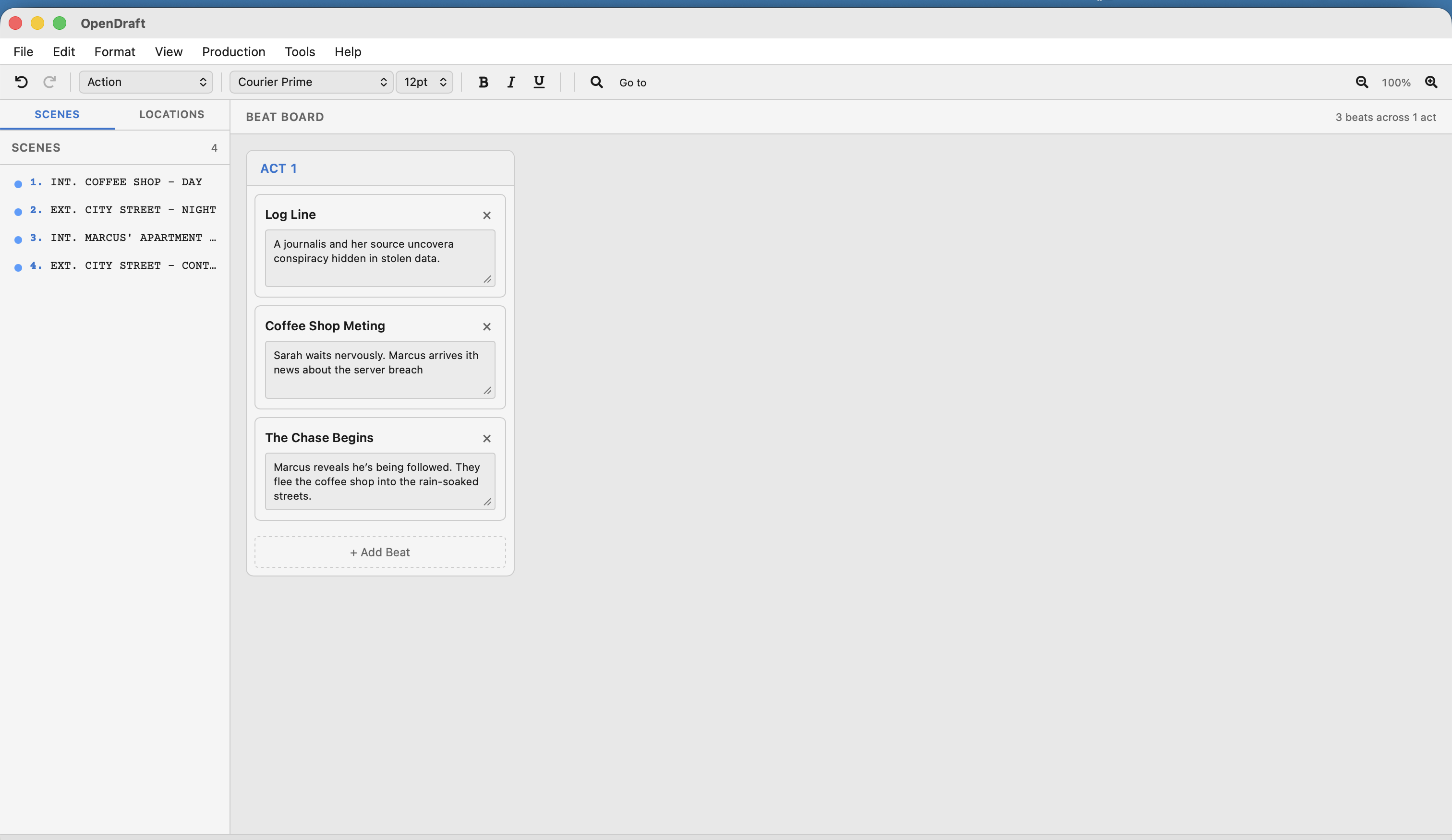
Beat Board
Plan your story's structure with beats organized by act.
What Are Beats?
A beat is a single story event or turning point. Screenwriters often plan their stories as a series of beats before writing the actual screenplay. Common examples:
- "Sarah discovers the letter" (inciting incident)
- "The team argues about the plan" (conflict)
- "Sarah makes her decision" (climax)
The Beat Board organizes these beats into acts, giving you a high-level view of your story's three-act (or multi-act) structure.
Opening the Beat Board
Open the Beat Board from View > Beat Board.
Working with Beats
Adding a Beat
Click the + Add Beat button within an act to create a new beat. Each beat has:
- Title — A short name for the beat (e.g., "Inciting Incident")
- Description — A longer description of what happens
Editing a Beat
Click on a beat's title or description to edit it directly.
Deleting a Beat
Click the delete button on a beat to remove it.
Working with Acts
Beats are organized into acts. The traditional screenplay structure uses three acts:
| Act | Purpose | Typical Length |
|---|---|---|
| Act 1 | Setup — introduce characters, world, and the central conflict | ~25% of script |
| Act 2 | Confrontation — rising action, complications, and obstacles | ~50% of script |
| Act 3 | Resolution — climax and conclusion | ~25% of script |
TV writers: Television scripts often use more than three acts (4, 5, or even 6). The Beat Board supports any number of acts.
Beats vs. Scenes
Beats and scenes are related but different:
- A beat is a story event in your outline. It lives on the Beat Board.
- A scene is a specific location and time in your screenplay. It starts with a Scene Heading.
- One beat might span multiple scenes, or several small beats might fit in one scene.
Use the Beat Board for planning, then write the actual scenes in the editor. Use Index Cards to bridge the gap between beats and scenes.