Themes
Choose a light or dark interface, and whether the script page goes dark too.
Switching Themes
Choose a theme from View > Theme. The current one has a check mark beside it.
- Light — a light interface with a white page.
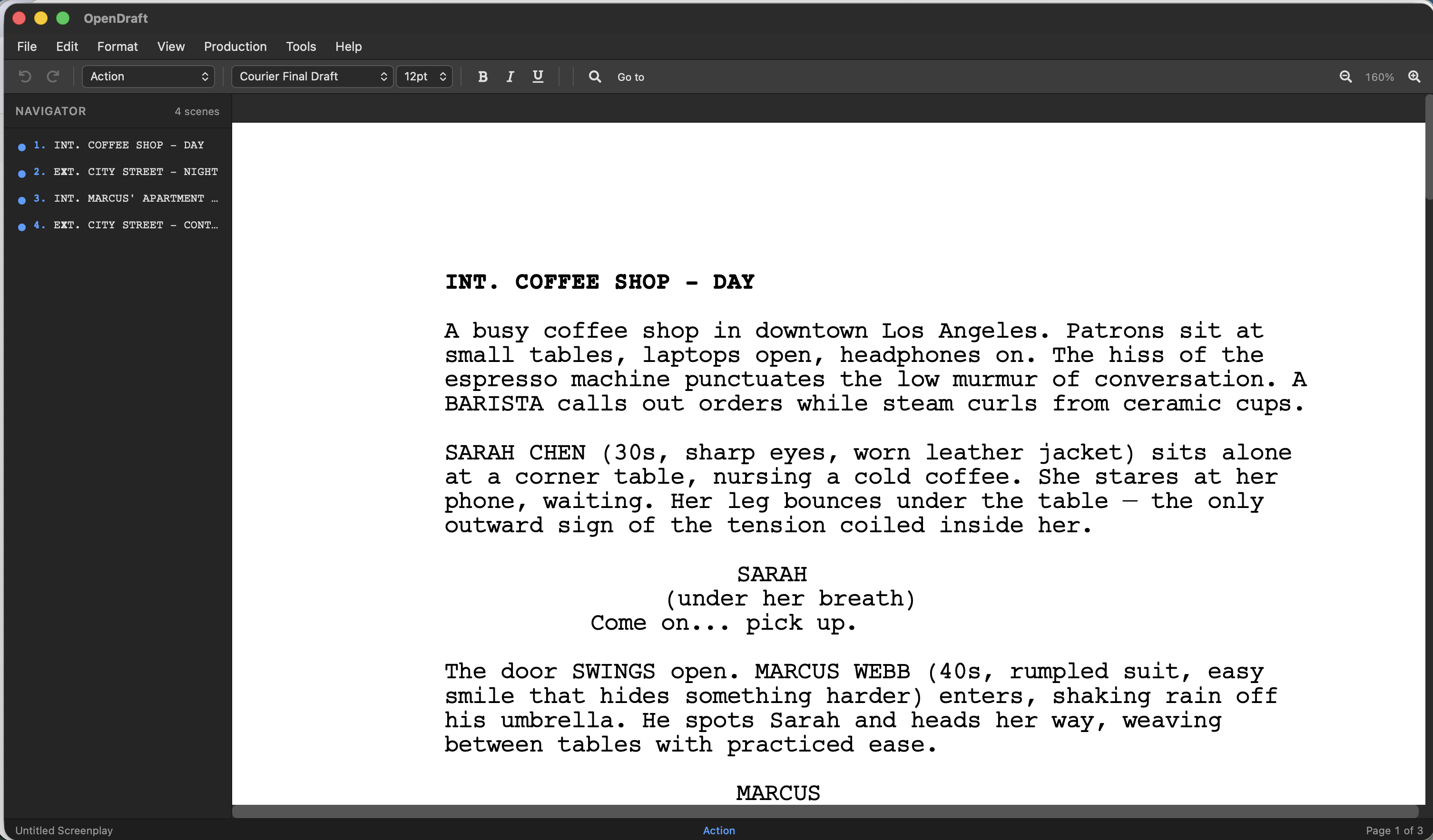
- Dark — a dark interface around a white page, like a printed sheet on a dark desk. This is the default.
- Dark Pages — a dark interface and a dark page with light text, for writing at night.
Light Theme
A bright, clean interface with light grays and whites. The editor page is white.
Dark Theme
A dark interface for writing in low light or during long sessions. The toolbars, panels, menus and dialogs use dark backgrounds with light text, and the page stays white, matching a printed page.
Dark Pages
Everything the Dark theme darkens, plus the script page itself: the page turns dark gray and the text light gray.
- Placeholders, page numbers, headers and footers, footnotes and (MORE)/CONT'D change with the page.
- Black text from a formatting template, or pasted from Word or Google Docs, shows as light text so it stays readable. A real color you chose, such as red or blue, is kept as it is.
- Only the screen changes. PDF export, printing, and every other export are still black text on white paper.
Theme Preference
Your choice is saved as soon as you make it and is used every time you open OpenDraft on this device. Each device keeps its own theme, so a phone can stay light while a laptop stays dark.